The two modes
The daemon runs in one of two modes. They differ in one thing: whether an ngrok tunnel is started, and therefore what URL receives webhooks.
| 🖥️ Local mode | 🌍 Tunnel mode | |
|---|---|---|
| Needs ngrok | No | Yes |
| URL that receives webhooks | http://127.0.0.1:4505/w/<name> | https://<your>.ngrok-free.app/w/<name> |
| Reachable from the internet | No | Yes |
| Best for | Testing locally with curl | Real providers (Stripe, GitHub…) |
Everything else is identical. In both modes the daemon persists events, forwards them to your targets, and feeds the dashboard. Only the front door changes.
Local mode
In local mode the daemon starts just the HTTP server on
127.0.0.1:4505 — no tunnel, no ngrok, no account.
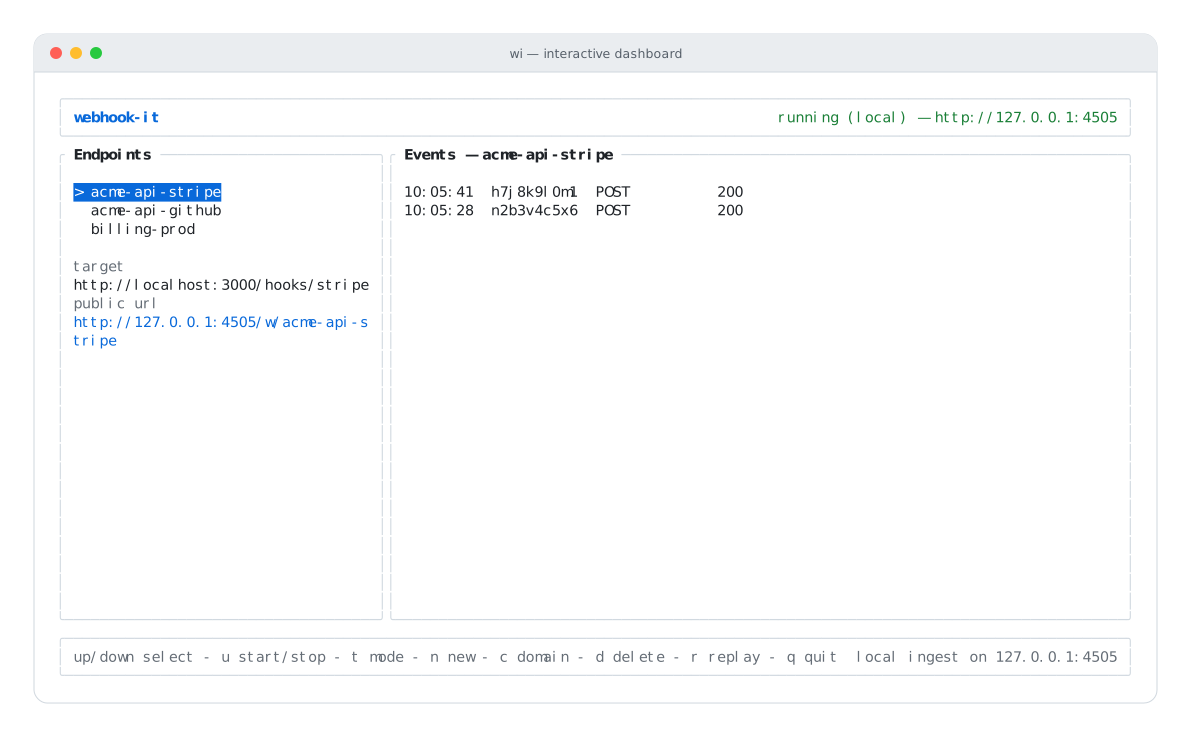
Local mode — the header shows running (local) and the 127.0.0.1 base URL.
Use local mode to:
- Test a handler with
curlor a script, without any provider involved. - Develop offline.
- Try webhook-it before setting up ngrok at all.
The catch is in the name: 127.0.0.1 is reachable only from your machine.
No external provider can call it. See
Local testing in depth.
Tunnel mode
In tunnel mode the daemon starts the HTTP server and an ngrok tunnel
pointing at it. ngrok gives you a public https:// URL that the whole internet
can reach — including Stripe and GitHub.
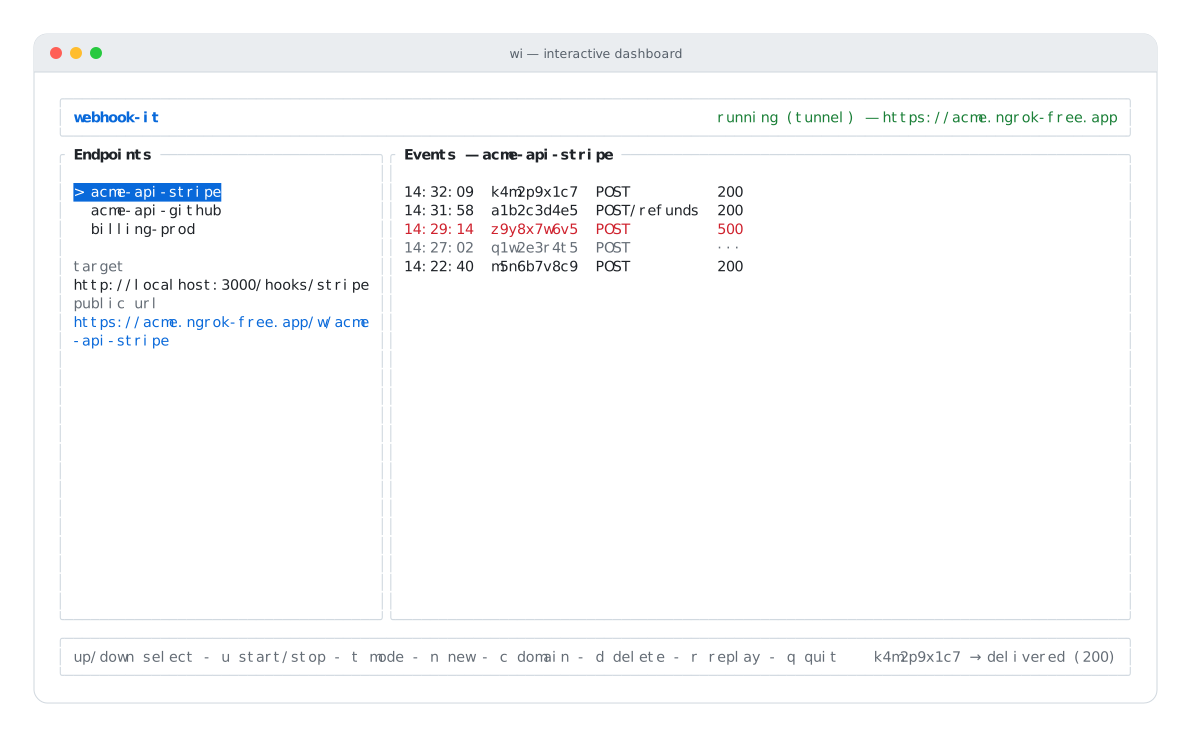
Tunnel mode — the header shows running (tunnel) and the public ngrok URL.
Tunnel mode requires a one-time ngrok setup (install, authenticate, reserve a static domain) covered in Installation. The static domain is what makes your URL stable — it survives restarts, so a webhook you registered with a provider keeps working.
Use tunnel mode to receive real events from real providers. See Connecting a real provider.
How the mode is chosen
webhook-it picks the initial mode for you:
- If an ngrok domain is configured, it starts in tunnel mode.
- If no domain is set, it starts in local mode.
On first run, if no domain is configured, the dashboard opens the domain setup prompt automatically. Fill it in for tunnel mode, or press esc to skip and stay local.
Switching modes
Press t to toggle between tunnel and local mode.
:::caution Toggle only while stopped You can only change mode while the daemon is stopped. If you press t while it is running, webhook-it tells you to stop it first. Stop with u, toggle with t, start again with u. :::
Pressing u in tunnel mode with no domain configured does not start the daemon — webhook-it prompts you to set a domain (c) or switch to local mode (t).
Which should I use?
Most real integration work happens in tunnel mode. Local mode shines for fast, offline iteration and for trying things out before committing to ngrok.
Next
- The daemon — starting, stopping, statuses.
- Local testing in depth — the local-mode workflow.
- Connecting a real provider — the tunnel-mode workflow.