Project config
A repository can declare its webhook endpoints in a committed file:
.webhook-it.json. A teammate who clones the repo then provisions every
endpoint with a single command — wi apply — instead of recreating each one by
hand.
Think of it as package.json for your project's webhooks.
The file
Put .webhook-it.json at the root of your repository:
{
  "$schema": "https://github.com/carlos3g/webhook-it/blob/main/webhook-it.schema.json",
  "project": "acme-api",
  "endpoints": {
    "stripe": { "target": "http://localhost:3000/hooks/stripe" },
    "github": { "target": "http://localhost:3000/hooks/github" }
  }
}
| Field | Required | Purpose |
|---|---|---|
$schema | optional | Enables autocomplete and validation in your editor. |
project | yes | The namespace for every endpoint in this file. |
endpoints | yes | A map of endpoint name → its local forward target. |
The full field-by-field reference is in Project config schema.
Namespacing
The project field namespaces every endpoint. The endpoint written as stripe
above is stored — and exposed in its public URL — as acme-api-stripe:
"stripe" in project "acme-api" → acme-api-stripe → /w/acme-api-stripe
This guarantees two repositories never collide on a name. Each repo's endpoints
sit under their own <project>- prefix.
Commit it
.webhook-it.json holds no secrets — only endpoint names and localhost
targets. Commit it to your repository.
The personal, per-machine bits — your ngrok domain, the ingest port — live in
~/.webhook-it/config.json, which is never committed. See
Files & configuration.
Applying it
Run wi apply from anywhere inside the repository:
wi apply

wi apply on a fresh machine — both endpoints are created.
wi apply finds the nearest .webhook-it.json by walking up from the current
directory (the way git finds .git), validates it, and reconciles its
endpoints into webhook-it.
Idempotent, like terraform apply
wi apply is declarative and idempotent. It compares the file against
what is already stored and only makes the difference:
| Mark | Action | When |
|---|---|---|
+ | created | The endpoint is in the file but not in webhook-it yet. |
~ | updated | The endpoint exists, but its target changed. |
= | unchanged | The endpoint already matches the file. |
? | orphan | Stored under this namespace, but no longer in the file. |

A second run after the file changed — one created, one updated, one unchanged, one orphan reported.
Run it as many times as you like; it always converges on what the file says.
:::info wi apply never deletes
An endpoint you remove from the file becomes an orphan: wi apply reports
it (?) but keeps it, along with all of its event history. Removing an
endpoint is always a deliberate, manual action with d in the
dashboard — never a side effect of apply.
:::
The interactive twin
You do not have to remember to run wi apply. When you open wi inside a repo
that has a .webhook-it.json, the dashboard detects it on startup and, if
there are pending changes, offers to apply them:
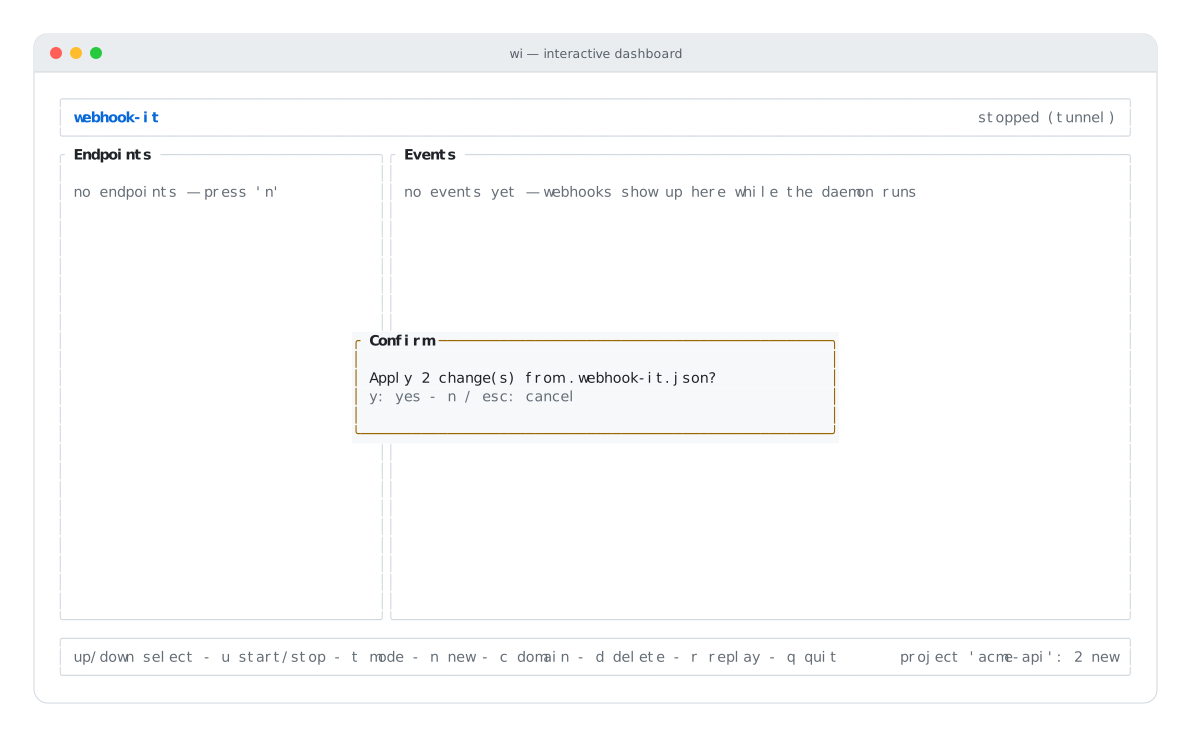
Open wi in a project repo and it offers to apply pending changes.
Press y to apply, n to skip. It is the same reconcile as
wi apply, just surfaced interactively — consistent with the first-run domain
prompt.
Safe in CI
wi apply is non-interactive and has predictable exit codes:
- Exit
0— applied successfully (even if nothing changed). - Exit
1— no file found, or the file is invalid JSON / fails the schema.
That makes it safe to run in a CI step or a postinstall hook. See the full
behavior in Team workflow and the
CLI reference.
Next
- Team workflow — the end-to-end onboarding story.
- Project config schema — every field and validation rule.
- CLI reference —
wi applyin full.