Dashboard anatomy
Running wi opens the dashboard. It is a single screen, built with
OpenTUI and Solid, with four regions and
a couple of overlays. This page names every part so the rest of the
documentation can refer to them.
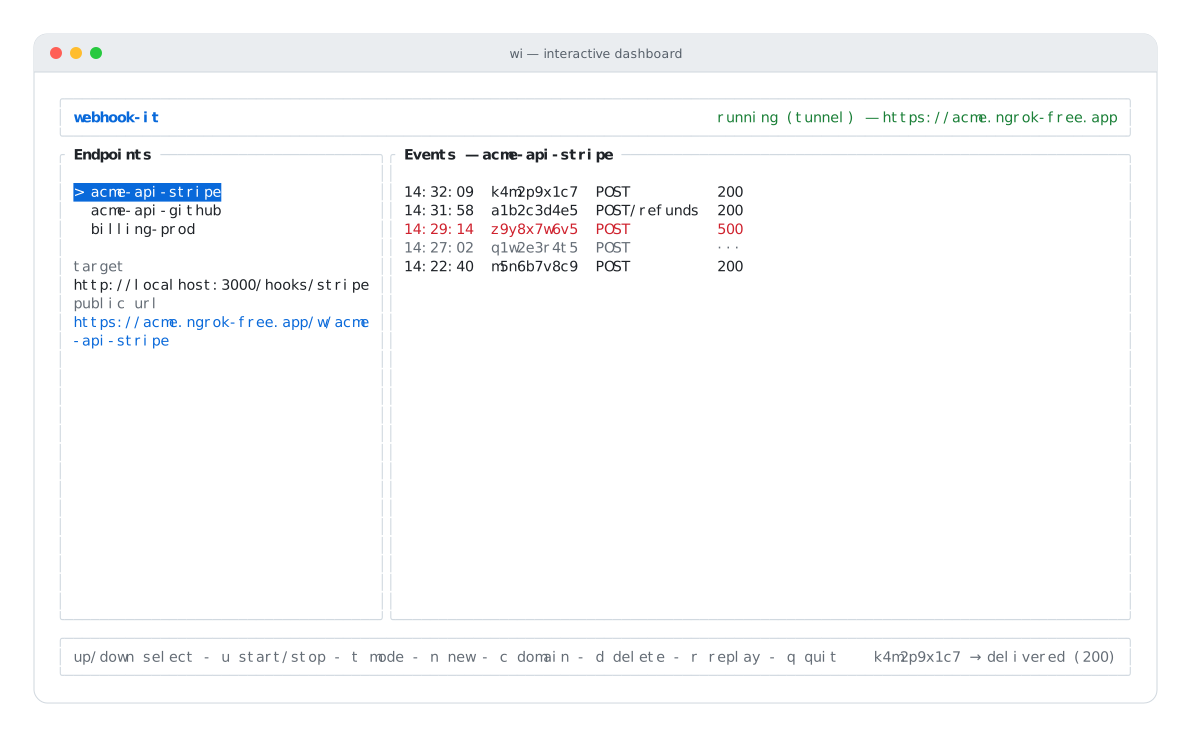
The dashboard: header, Endpoints pane, Events pane, footer.
The header
The top bar shows the product name on the left and the daemon status on the right. The status is color-coded and tells you the mode and, when running, the public base URL:
| Status | Meaning |
|---|---|
stopped (local) / stopped (tunnel) | The daemon is not running. The word in parentheses is the mode it will start in. |
starting (...) | The daemon — and, in tunnel mode, the ngrok tunnel — is coming up. |
running (local) — http://127.0.0.1:4505 | Up in local mode. |
running (tunnel) — https://you.ngrok-free.app | Up in tunnel mode, with the public URL. |
error (...) | The daemon failed to start. The footer carries the reason. |
See The daemon and The two modes.
The Endpoints pane
The left pane lists your endpoints. The selected one is highlighted; move the selection with the ↑ / ↓ arrows (or k / j).
Below the list, the selected endpoint shows its detail:
- target — the local URL events are forwarded to.
- public url — the full
/w/<name>URL to give a provider. Before the daemon starts it reads(start the daemon to get a URL).
When there are no endpoints yet, the pane prompts: no endpoints — press 'n'.
The Events pane
The right pane is a live feed of webhooks received by the selected
endpoint, newest first. The title reflects the selection — Events — stripe-dev.
Each row is one event:
14:32:09  k4m2p9x1c7  POST          200
   │           │        │            │
  time        id     method+suffix  delivery status
Rows are color-coded by delivery status:
- Normal — delivered with a
2xx/3xxcode. - Red — delivered, but the local app returned
4xx/5xx. - Dim — not delivered yet (shown as
···).
The feed updates as webhooks arrive — webhook-it re-reads the database a few times a second, so the pane always reflects current state. See Events & replay.
The footer
The bottom bar has two halves:
- Left — the keybindings, always visible:
up/down select - u start/stop - t mode - n new - c domain - d delete - r replay - q quit. - Right — the status line: the latest message from webhook-it. It reports what just happened — an endpoint created, a webhook delivered, a replay result, an error.
The status line is where the daemon's per-event log surfaces, so keep an eye on it while debugging.
Overlays
Two kinds of modal overlay appear on top of the dashboard.
Prompts (forms)
A prompt is a small form — used to create an endpoint (n) and to set the ngrok domain (c).
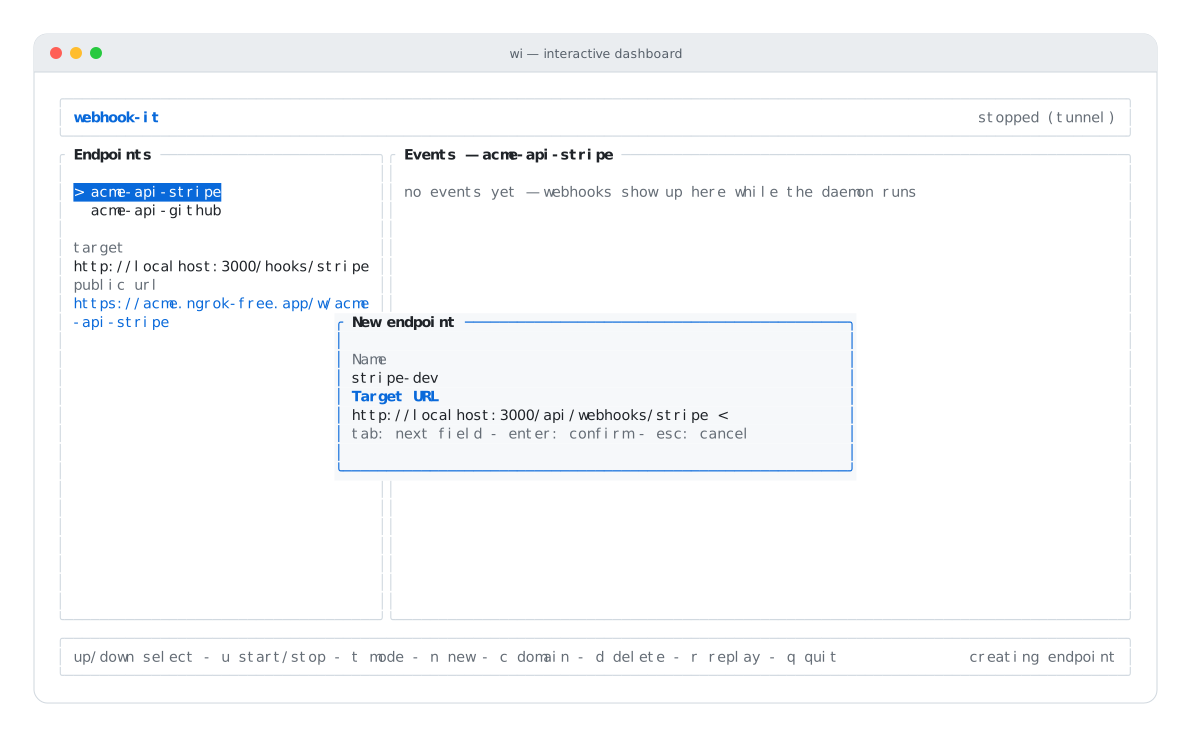
Inside a prompt:
- tab moves between fields.
- enter confirms.
- esc cancels.
The active field is marked with < and an accent-colored label. If you submit
invalid input, the prompt stays open and shows the error.
Confirmations
A confirmation asks a yes/no question — used before deleting an endpoint (d) and before applying a project config.
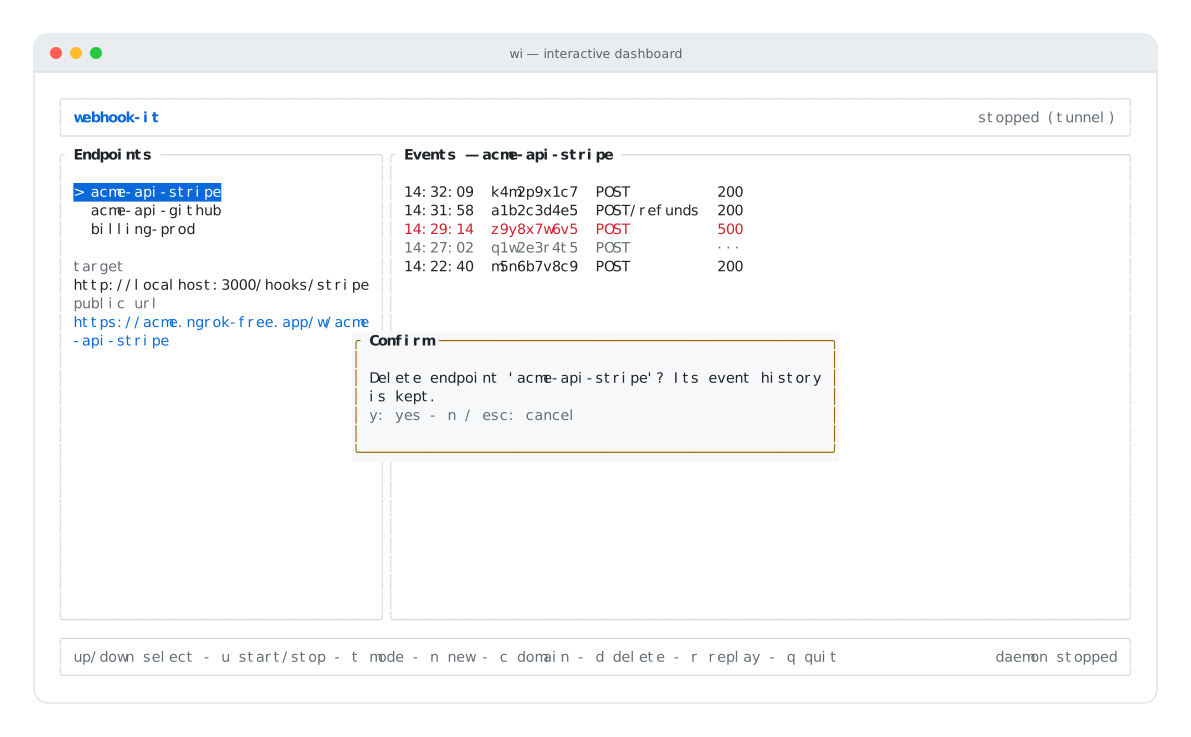
Inside a confirmation:
- y confirms.
- n or esc cancels.
Next
- Keybindings — the complete key reference.
- Managing endpoints — create, select, delete.
- The daemon — start, stop, modes.