Keybindings
The webhook-it dashboard is keyboard-only — there is no mouse interaction. Every key is listed in the footer at all times; this page is the complete reference.
Global keys
These work whenever no overlay is open:
| Key | Action |
|---|---|
| ↑ / ↓ | Move the endpoint selection |
| k / j | Move the endpoint selection (vim-style) |
| u | Start / stop the daemon (and the ngrok tunnel) |
| t | Toggle tunnel / local-only mode (only while stopped) |
| n | Create a new endpoint — opens a form |
| c | Set the ngrok static domain — opens a form |
| d | Delete the selected endpoint — asks to confirm |
| r | Replay the most recent event of the selected endpoint |
| q | Quit — stops the daemon and exits cleanly |
| Ctrl+C | Quit (same as q) |
Selecting a different endpoint also re-points the Events pane at that endpoint's feed.
In a form (prompt)
When a prompt is open — after n or c — the keys change:
| Key | Action |
|---|---|
| tab | Move to the next field |
| enter | Submit the form |
| esc | Cancel and close the form |
| backspace | Delete the last character of the active field |
| printable keys | Type into the active field |
If the form fails validation, it stays open and shows the reason — fix the field and press enter again.
In a confirmation
When a yes/no confirmation is open — after d, or the project-apply prompt:
| Key | Action |
|---|---|
| y | Confirm — yes |
| n | Cancel — no |
| esc | Cancel — no |
Quick reference
You can also see the dashboard keys without opening it, via wi --help:
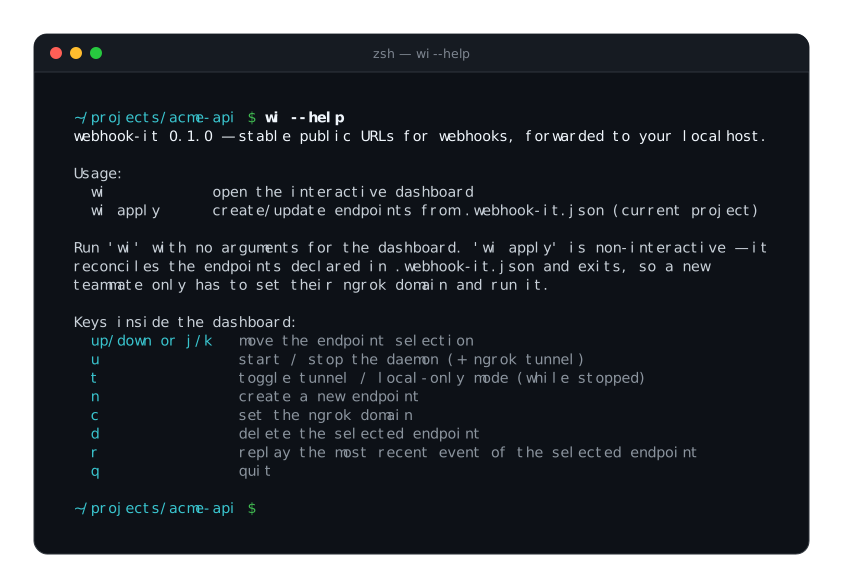
wi --help prints the keybindings — handy before you even open the dashboard.
Cheat sheet
A typical session, in keys:
wi          → open the dashboard
c           → set your ngrok domain   (first time only)
n           → create an endpoint
u           → start the daemon
↑ / ↓       → switch between endpoints, watch their events
r           → replay the latest event while debugging
q           → quit
Next
- Managing endpoints — n, d and selection in detail.
- The daemon — u, t and c.
- Replaying events — r in detail.