The daemon
The daemon is the part of webhook-it that actually receives webhooks. While it is stopped, your endpoints exist but nothing can reach them. This page covers the keys that control it: u, t and c.
Starting and stopping — u
Press u to start the daemon. Press u again to stop it.
What "start" does depends on the mode:
- Local mode — starts the HTTP ingest server on
127.0.0.1:4505. - Tunnel mode — starts the HTTP server and an ngrok tunnel pointing at it, then waits for the tunnel to come up.
When the daemon is running, the header shows the status in green and the
public base URL. Your endpoints' public url fields fill in. Stopping it tears
down the tunnel and the server cleanly.
The status
The header status, color-coded, is the daemon's state of truth:
| Status | Color | Meaning |
|---|---|---|
stopped (local|tunnel) | dim | Not running. Press u to start. |
starting (...) | amber | Coming up — in tunnel mode, waiting on ngrok. |
running (...) — <url> | green | Up and receiving. The URL is your base address. |
error (...) | red | Failed to start. The footer status line has the reason. |
Common start failures and what they mean:
| Footer message | Cause | Fix |
|---|---|---|
'ngrok' binary not found in PATH | ngrok is not installed. | Install it — see Installation. |
ngrok: ... | ngrok rejected the tunnel (bad authtoken, domain in use). | Check your authtoken and that the domain is reserved and free. |
timed out waiting for the ngrok tunnel to come up (15s) | ngrok did not signal success in time. | Retry; check your network. |
no ngrok domain — press 'c'... | Tunnel mode with no domain set. | Set a domain (c) or switch to local (t). |
Switching mode — t
Press t to toggle between tunnel and local mode. The footer confirms the new mode.
:::caution Stop before you toggle t only works while the daemon is stopped. Press it while running and webhook-it tells you to stop first. The order is: u to stop, t to toggle, u to start again. :::
See The two modes for the full comparison.
Setting the ngrok domain — c
Press c to open the ngrok domain prompt. Enter your reserved
static domain — e.g. yourname.ngrok-free.app — and press enter.
Setting a domain:
- saves it to
~/.webhook-it/config.jsonso it persists across runs; - switches the dashboard into tunnel mode.
Submitting an empty domain clears it and switches back to local mode.
You only need to do this once per machine. After that, webhook-it starts in tunnel mode automatically.
First-run setup
On the very first run — when no ngrok domain has ever been configured — the dashboard opens the domain prompt for you, with a short hint:
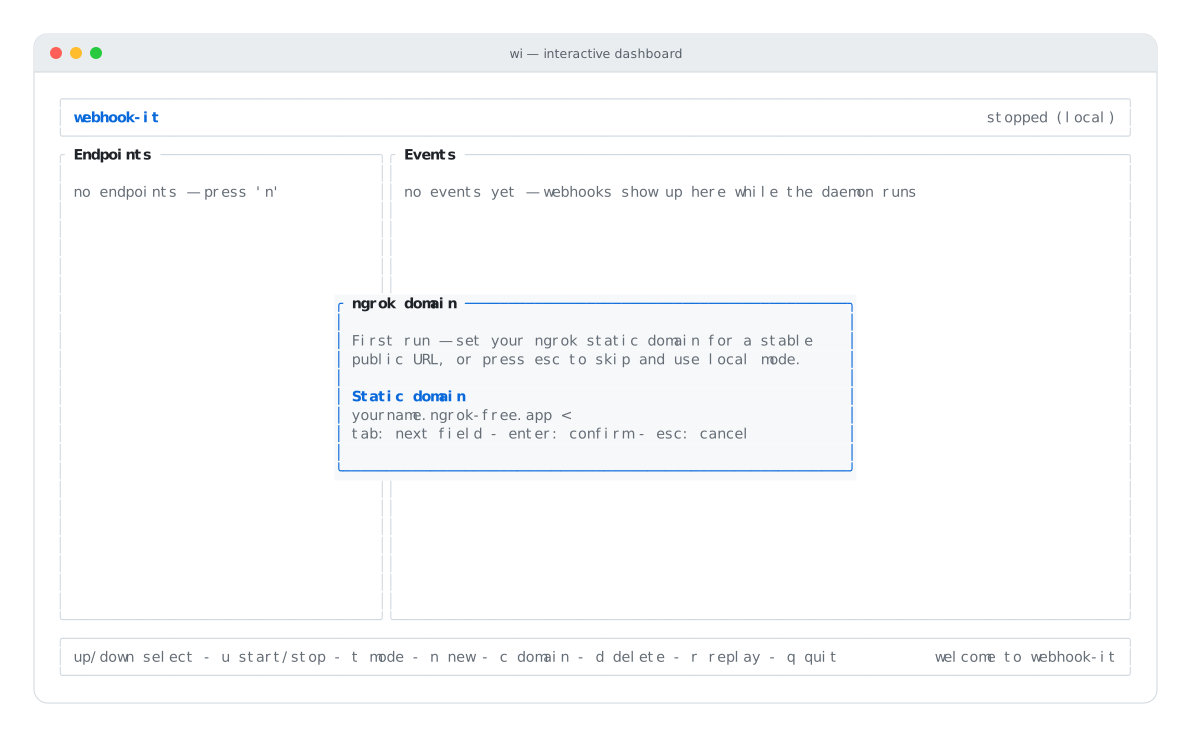
First run — set a domain for tunnel mode, or press esc to skip.
- Enter your domain and press enter → tunnel mode, ready for real providers.
- Press esc to skip → local mode, no ngrok needed. You can set the domain any time later with c.
What "running" requires
For a webhook to actually arrive, all of these must hold:
- Your machine is on.
wiis open.- The daemon is started (u).
- In tunnel mode, the ngrok tunnel is up.
Close the dashboard and webhooks stop arriving — there is no background service. This is the deliberate trade-off of the no-server model; see the FAQ.
Quitting
Press q (or Ctrl+C) to quit. webhook-it stops the daemon, tears down the tunnel, closes the database and exits cleanly — you do not need to stop the daemon manually first.
Next
- The two modes — local vs. tunnel.
- Replaying events — what to do when a forward fails.
- Connecting a real provider — tunnel mode end to end.