Connecting a real provider
This guide takes you from zero to real events from a real provider —
Stripe, GitHub, Resend, Mercado Pago, anything — landing on your localhost.
It uses tunnel mode, so the provider can reach you over the internet.
Prerequisites
A one-time ngrok setup, covered in Installation:
ngrokinstalled.ngrok config add-authtoken <your-token>run once.- A static domain reserved at https://dashboard.ngrok.com/domains — the
free plan includes one, e.g.
yourname.ngrok-free.app.
The static domain is what makes your URL stable: register it with a provider today and it still works next week.
Step 1 — Set your ngrok domain
Open the dashboard:
wi
On first run, the domain prompt opens automatically:
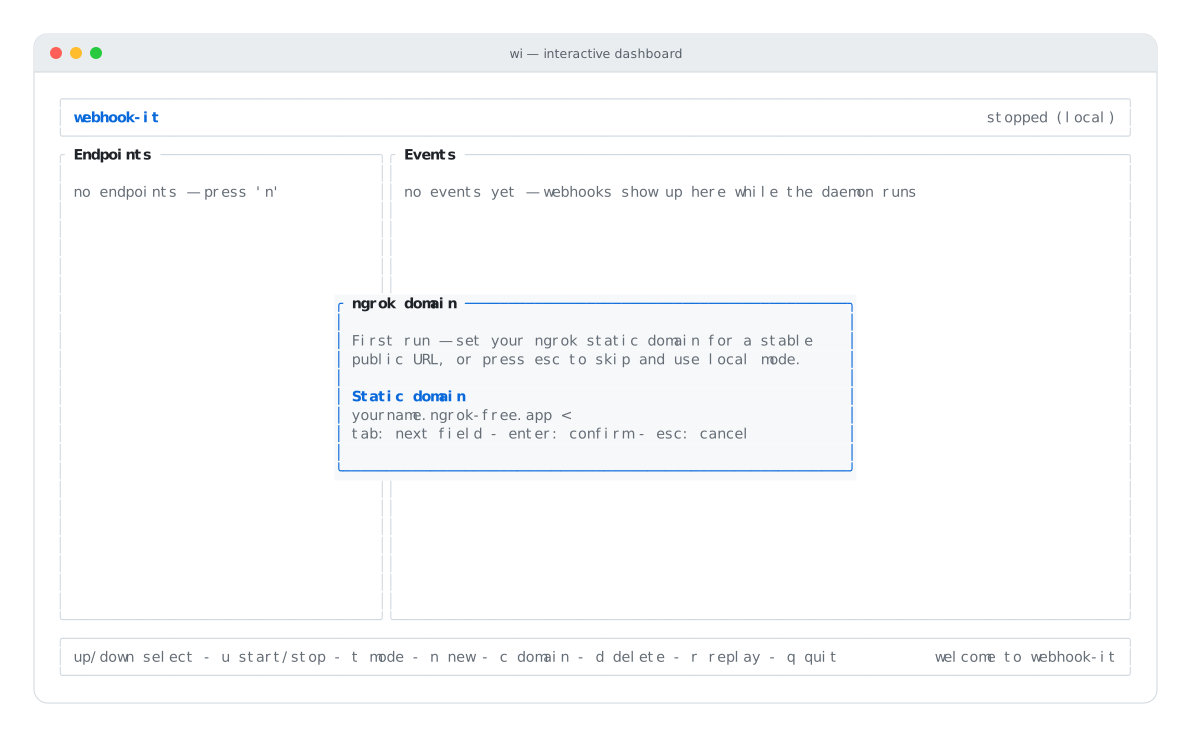
Enter your reserved static domain and press enter.
Type your domain (e.g. yourname.ngrok-free.app) and press enter.
If the prompt is not showing — because you skipped it earlier — press
c to open it.
Setting the domain saves it to ~/.webhook-it/config.json and switches the
dashboard into tunnel mode. You do this once per machine.
Step 2 — Create an endpoint
Press n and fill the form:
- Name —
stripe-dev - Target URL — your handler's local URL, e.g.
http://localhost:3000/api/webhooks/stripe
Press enter.
Step 3 — Start the daemon
Press u. webhook-it starts the HTTP server and the ngrok tunnel. The header turns green and shows your public base URL:
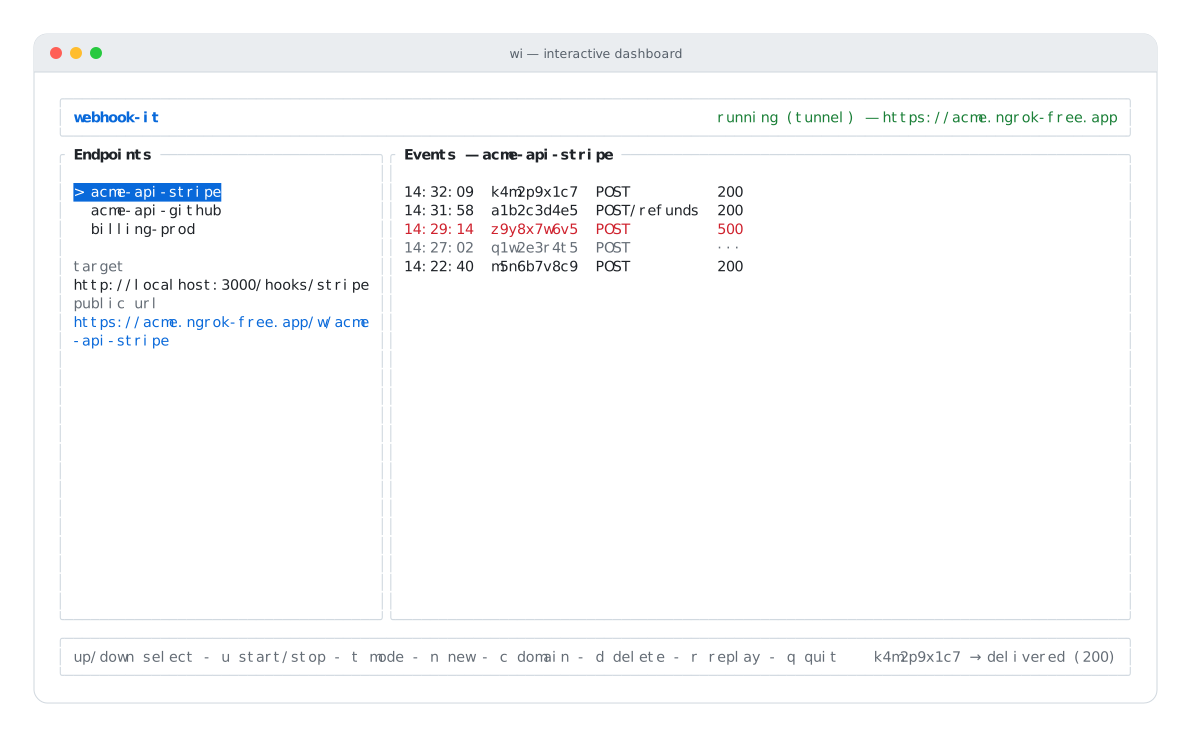
Tunnel mode is up — the public URL is in the header.
Select your endpoint; the Endpoints pane shows its full public url under the detail. It looks like:
https://yourname.ngrok-free.app/w/stripe-dev
That is the URL you give the provider.
Step 4 — Register the URL with the provider
Copy the endpoint's public URL into the provider's webhook settings.
Stripe
- Go to Developers → Webhooks in the Stripe Dashboard.
- Add endpoint, paste
https://yourname.ngrok-free.app/w/stripe-dev. - Select the events to send (e.g.
checkout.session.completed). - Save.
For local-only iteration you can also point the Stripe CLI at the URL:
stripe listen --forward-to https://yourname.ngrok-free.app/w/stripe-dev
GitHub
- In a repository (or App): Settings → Webhooks → Add webhook.
- Payload URL:
https://yourname.ngrok-free.app/w/github-app. - Content type:
application/json. - Choose the events, and save.
Any other provider
The pattern is identical for Resend, Mercado Pago, Clerk, Shopify and the rest: find the webhook / callback URL field in their dashboard, and paste your endpoint's public URL.
Step 5 — Trigger and watch
Trigger an event from the provider — make a test payment, push a commit, click "send test" in their dashboard.
The event lands in the Events pane within a second, and webhook-it forwards
it to your local handler with every header intact — including
Stripe-Signature / X-Hub-Signature-256, so your signature verification
works exactly as it will in production.
The delivery status column shows what your handler returned. A red 4xx/5xx
means your handler errored — fix it and press r to
replay the same event.
Multiple providers at once
You do not need a second tunnel for a second provider. Create another endpoint
(n) — github-app, resend-dev — and each gets its own
/w/<name> URL on the same tunnel. Switch between them with the arrow keys;
the Events pane follows your selection. See
How it works.
Keeping it running
A webhook only arrives while the daemon is up and the dashboard is open.
Close your laptop and events are missed — there is no background receiver. For a
debugging session that is fine; just keep the wi window open. See the
FAQ.
Troubleshooting
| Symptom | Likely cause | Fix |
|---|---|---|
error (tunnel) on start | ngrok not installed / not authenticated. | Recheck the ngrok setup. |
ngrok: ... error | Domain wrong, or already in use by another tunnel. | Confirm the reserved domain; close other ngrok tunnels. |
| Provider reports a delivery failure | Daemon not running, or wrong URL. | Start the daemon (u); recopy the endpoint's public url. |
Event arrives but status is ··· | Your local app is down or on a different port. | Start the app; check the target URL; press r. |
404 for the endpoint | The path does not match an endpoint name. | The URL must be /w/<exact-endpoint-name>. |
Next
- Debugging failed events — when forwards fail.
- Team workflow — share endpoints across a team.
- The daemon — statuses and start failures.