Team workflow
When more than one developer works on a service, they all need the same set of
webhook endpoints. Recreating them by hand on every machine is tedious and
drifts out of sync. webhook-it solves this with a committed
.webhook-it.json and the wi apply command.
The idea
The repository owns the list of endpoints. Each developer's machine owns the
personal bits — the ngrok domain. wi apply reconciles the two.
Step 1 — Add .webhook-it.json to the repo
Create the file at the repository root and commit it:
{
  "$schema": "https://github.com/carlos3g/webhook-it/blob/main/webhook-it.schema.json",
  "project": "acme-api",
  "endpoints": {
    "stripe": { "target": "http://localhost:3000/hooks/stripe" },
    "github": { "target": "http://localhost:3000/hooks/github" }
  }
}
projectnamespaces every endpoint —stripebecomesacme-api-stripe, so this repo never collides with another.endpointsmaps each name to the local target on a developer's machine. Use whatever port the project's dev server runs on.- The file holds no secrets — commit it without a second thought.
The full reference is in Project config schema.
Step 2 — A teammate clones and applies
A new developer joins. Their entire setup is:
# one-time per machine: install ngrok, authenticate, reserve a domain
ngrok config add-authtoken <token>

# one-time per machine: tell webhook-it the domain
wi              # press c, enter your ngrok domain, then q

# in the cloned repo:
wi apply
wi apply reads .webhook-it.json and creates every endpoint:

A fresh machine — both endpoints created, namespaced under acme-api.
That is it. No endpoint set up by hand; nothing shared but a file in git.
Step 3 — Keep it in sync
When the endpoint list changes — someone adds a provider, or a target moves —
edit .webhook-it.json, commit, and everyone runs wi apply again after they
pull. Because apply is idempotent, re-running it is always safe:

A later run after edits — created, updated, unchanged and orphan, all reported.
| Mark | Meaning |
|---|---|
+ | Created — new in the file. |
~ | Updated — the target changed. |
= | Unchanged — already matches. |
? | Orphan — stored here, but no longer in the file (kept, not deleted). |
Step 4 — Or just open wi
A teammate does not even have to remember wi apply. Opening wi inside the
repo makes the dashboard detect .webhook-it.json and offer to apply any
pending changes:
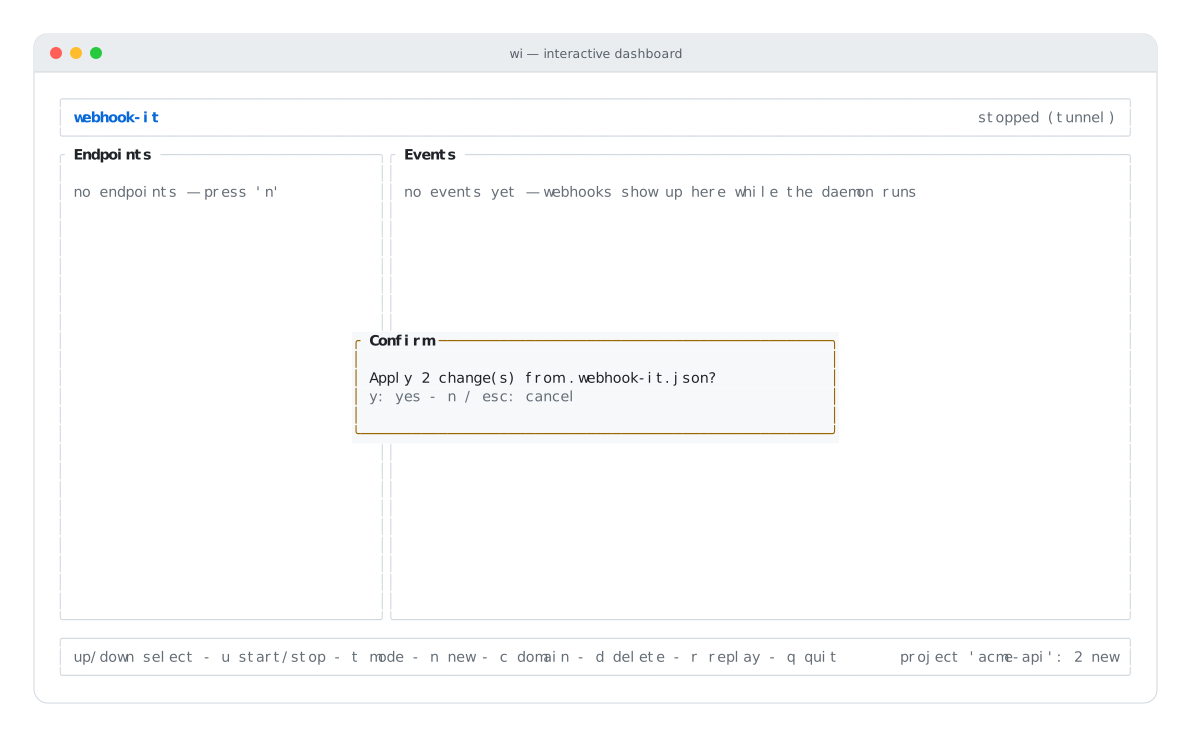
Open wi in the repo — it offers to apply pending changes. Press y.
Running in CI
wi apply is non-interactive and has clean exit codes — 0 on success, 1 on
a missing or invalid file. That makes it safe in automation: a setup script, a
postinstall hook, or a CI job that lints the config.
# fails the job if .webhook-it.json is missing or malformed
wi apply
Good practices
:::tip Keep one project per repository
Use a distinct project name per repository. The namespace is the collision
boundary — acme-api and acme-billing keep their stripe endpoints fully
separate.
:::
:::note Apply never deletes Dropping an endpoint from the file does not remove it — it becomes a reported orphan. To actually delete an endpoint and reclaim the name, do it deliberately in the dashboard with d. Event history is kept either way. :::
Next
- Project config — the concept in depth.
- Project config schema — every field.
- CLI reference —
wi apply— exit codes and output.