Quick Start
This walkthrough takes about five minutes and gets you from zero to a
webhook arriving in the dashboard and being forwarded to your app. It uses
local mode, so you need no ngrok account — just the binary from
Installation and curl.
:::tip Going to use a real provider?
This guide tests entirely on your machine with curl. To receive events from
Stripe, GitHub or any real provider over the internet, follow
Connecting a real provider instead.
:::
Step 1 — Open the dashboard
wi
On the very first run, webhook-it asks for your ngrok static domain. We are testing locally, so press esc to skip it — that drops you into local mode.
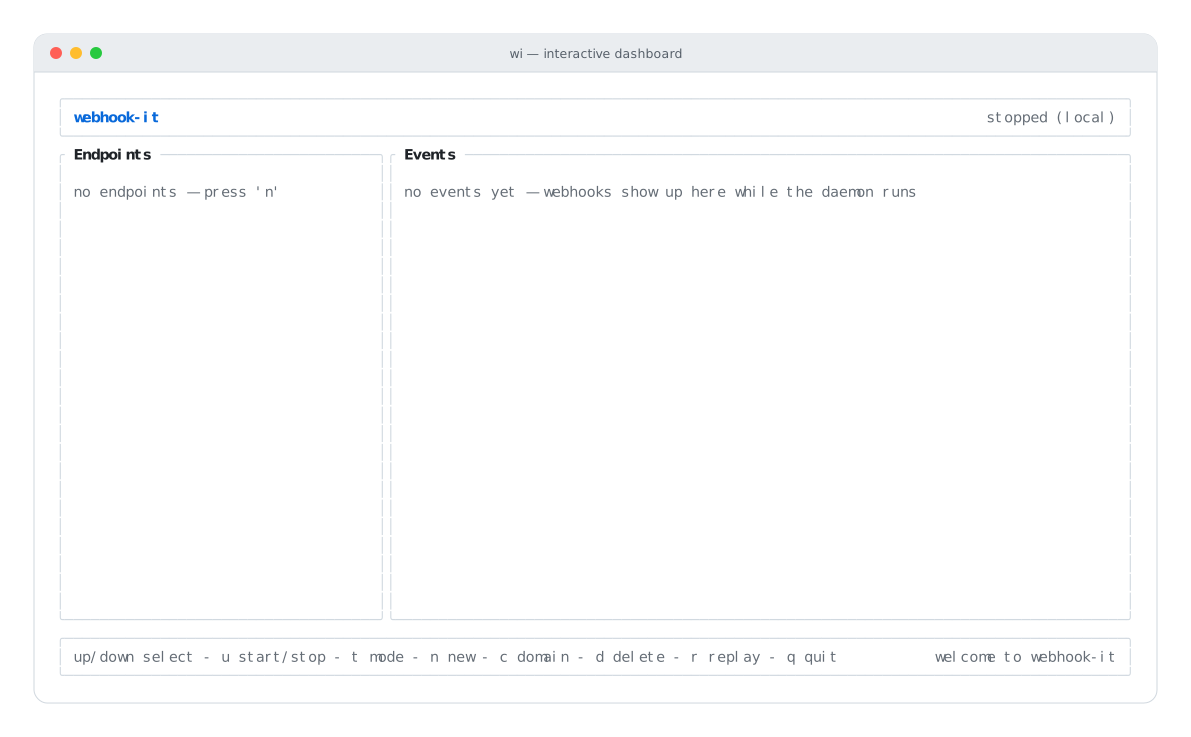
A fresh dashboard: no endpoints, daemon stopped, ready for input.
You are now looking at the dashboard. The left pane (Endpoints) is empty, the right pane (Events) is waiting, and the footer lists the keys. For a full tour see Dashboard anatomy.
Step 2 — Create an endpoint
Press n. A small form opens. Fill in two fields:
- Name — a short slug, e.g.
demo. It becomes part of the URL. - Target URL — where the webhook should be forwarded, e.g.
http://localhost:3000/webhook.
Use tab to move between fields and enter to confirm.
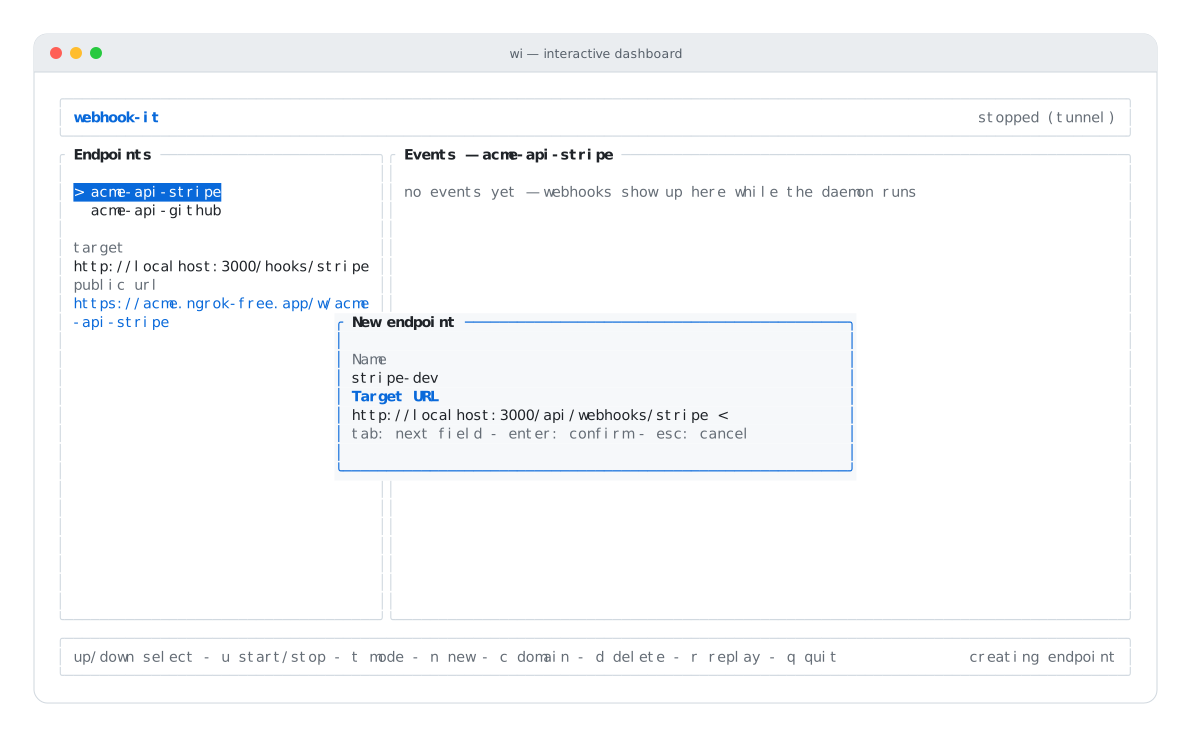
The new-endpoint form — tab between fields, enter to confirm.
The endpoint appears in the Endpoints pane. Selecting it shows its target and (once the daemon runs) its public URL.
Step 3 — Start the daemon
Press u. Because no ngrok domain is set, webhook-it starts in
local mode: an HTTP server on 127.0.0.1:4505, with no tunnel.
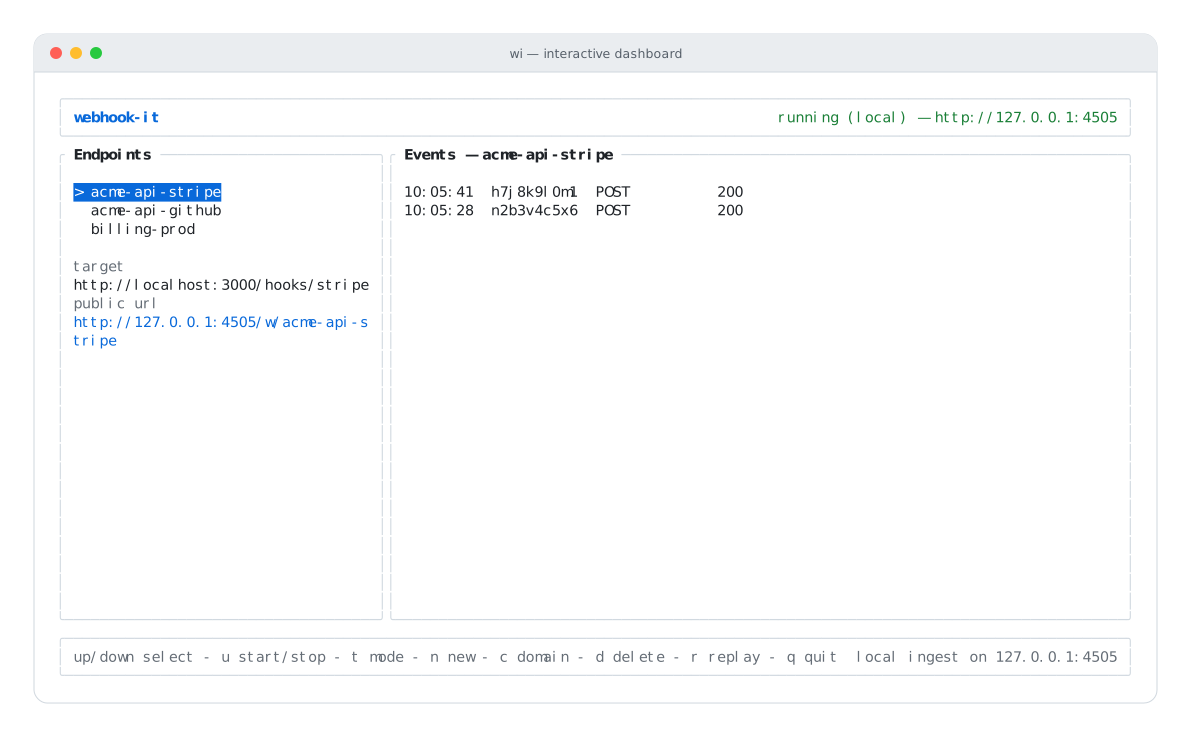
Daemon up in local mode — the header shows http://127.0.0.1:4505.
The header turns green and shows the base URL. Your endpoint is now reachable at:
http://127.0.0.1:4505/w/demo
The route is always /w/<endpoint-name> — read more in
Endpoints.
Step 4 — Send a webhook
Open a second terminal and POST a payload to that URL with curl:
curl -X POST http://127.0.0.1:4505/w/demo \
  -H 'content-type: application/json' \
  -d '{"event":"test","amount":4200}'
webhook-it responds immediately with a 200 and the event's id:
{"ok":true,"id":"k4m2p9x1c7"}

The daemon answers 200 the instant it persists the event.
Step 5 — Watch it arrive
Switch back to the dashboard. The event is already in the Events pane, with its time, id, method and delivery status.
webhook-it also tried to forward the event to your target
(http://localhost:3000/webhook):
- If your local app is running and answered, the status column shows its HTTP
code (e.g.
200). - If nothing is listening there, the status shows
···and the footer reports a delivery failure — that is expected if you have no app running. The event is still saved, and you can replay it later.
Step 6 — Replay an event
Select the endpoint and press r. webhook-it re-sends the most recent event to the target — the exact same bytes and headers. This is the core debugging loop: a webhook breaks your handler, you fix the code, you press r, and the same payload runs again.
Read more in Events & replay.
Step 7 — Quit
Press q. The daemon stops cleanly and the dashboard closes. Your
endpoint and every event are saved in ~/.webhook-it/db.sqlite — they are still
there next time you run wi.
What you just learned
| You did | The concept |
|---|---|
| Skipped the ngrok prompt | The two modes |
Created demo → a target | Endpoints |
| Started the daemon with u | The daemon |
curl'd /w/demo | How it works |
| Saw the event & replayed it | Events & replay |
Next steps
- Connecting a real provider — receive real Stripe / GitHub events over an ngrok tunnel.
- Local testing in depth — query strings, path suffixes, custom headers.
- Dashboard anatomy — every pane explained.